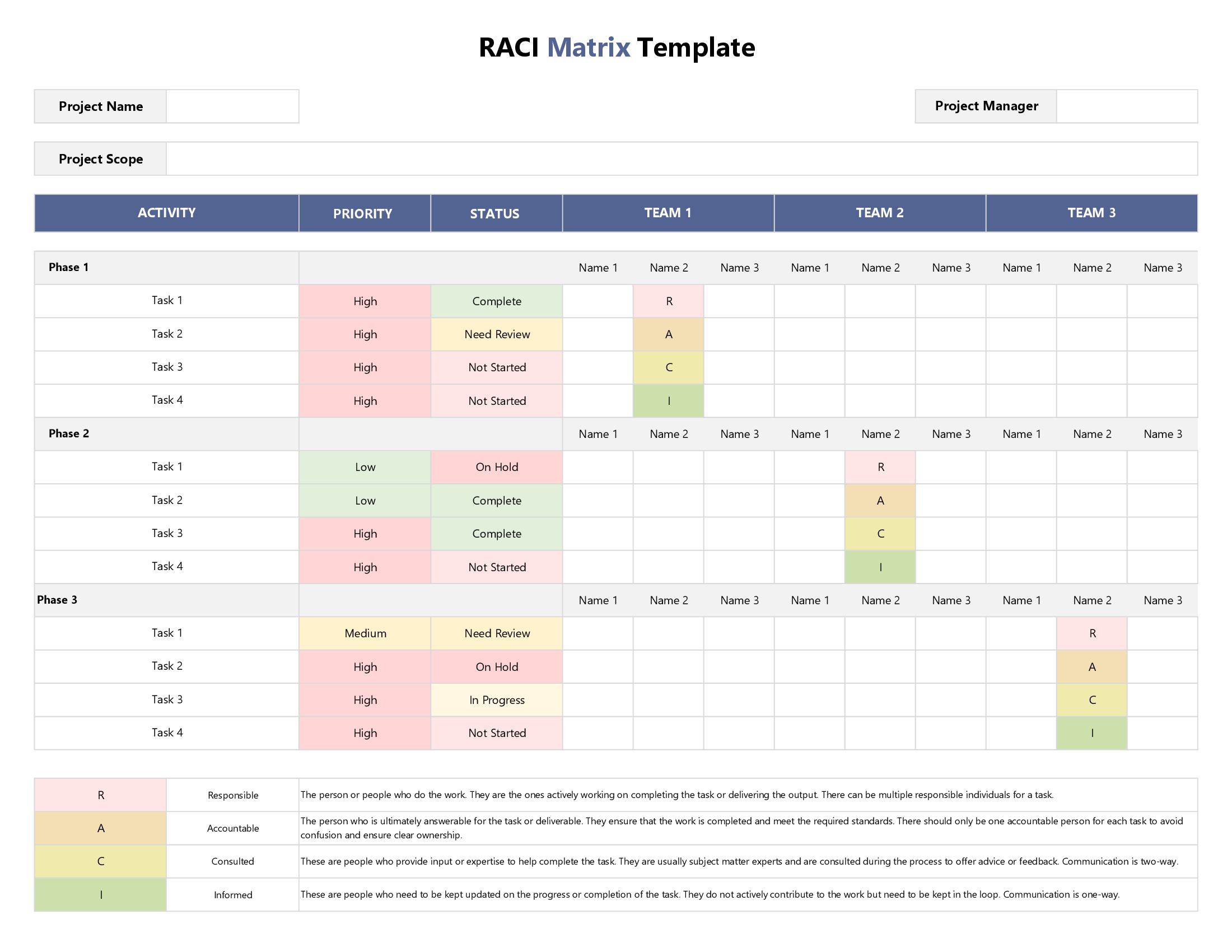



This template offers a systematic and organized way of designating roles & responsibilities to individual members of your project team for each project task. As the first step to customizing this template to your project, you will need to provide an overview of your project; including the project’s name, name of the project manager, and a single statement clearly delineating the scope of your project.
You will then need to sort your tasks out by phase – for example, your first project phase might be the research stage, and unless this phase is completed, you will not be able to take the project forward into its second phase. Unlike other templates in our RACI series, we have not categorized tasks by phase so if you prefer that, feel free to check out those templates.
Once you have chalked out your task inventory in the mainsheet, it’s time to identify individual team members by adding their names horizontally (first row of our spreadsheet). In the remaining cells, you will use our drop-down menus to determine what relationship each team member will have to each task, that is, will they be doing the work (Responsible), calling the shots (Accountable), being asked for their opinions (Consulted) or simply kept in the loop (Informed)?
To help you update the status of your activities at the task level and track overall project progress over time, we added a customizable drop-down menu to identify the status of each task once your project gets moving: Not Started, In Progress, Complete, Need Review, Approved, Overdue, and On Hold. That said, we also added a separate configuration sheet in case you want to use different categories than the ones we have used to better suit your own project needs & requirements.