
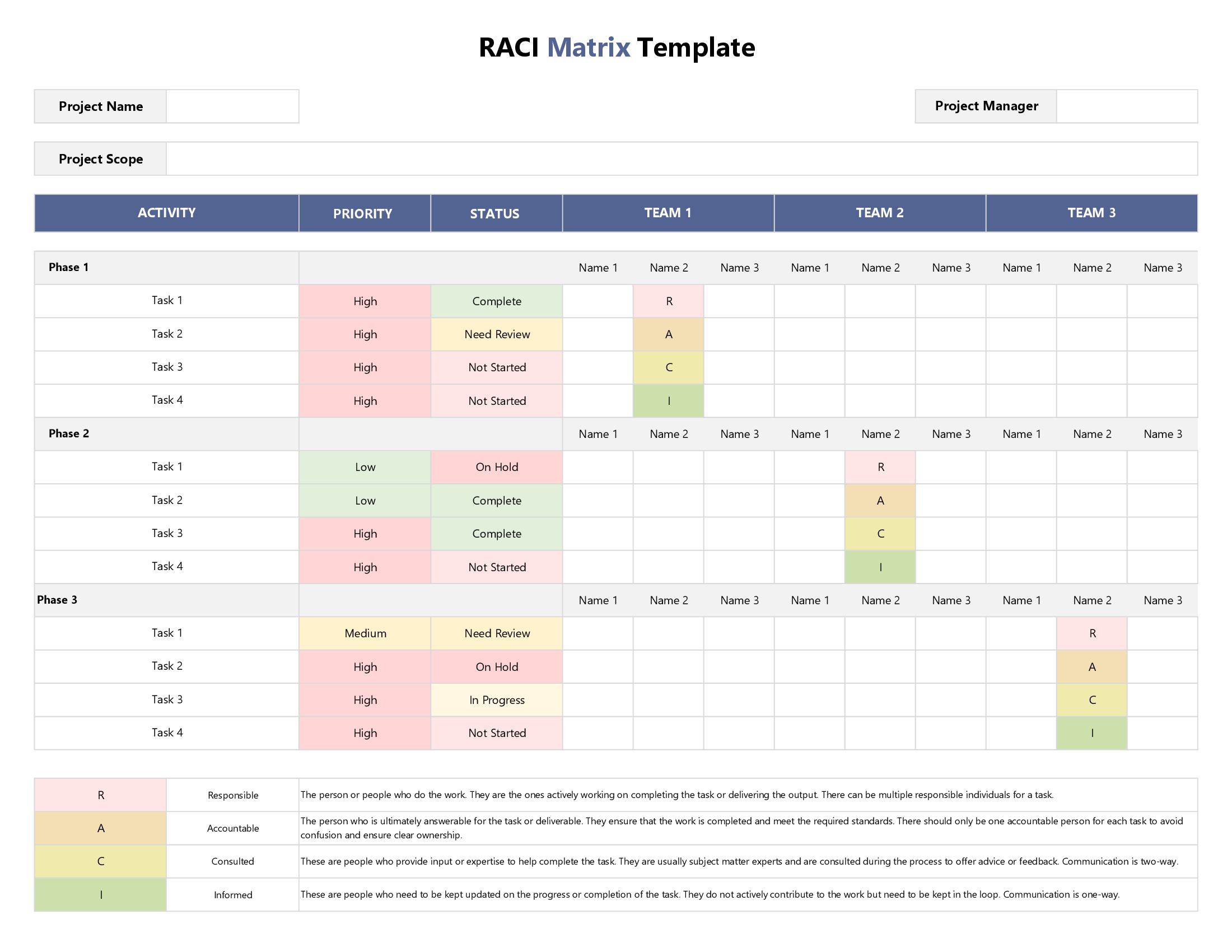





Use this editable spreadsheet to assign RACI roles to individual team members categorized by teams (for each project task) as well as prioritize tasks, and update their status once your project gets moving.
This RACI template is a pre-made Excel Sheet where you get to first list down all the stakeholders in your project – that is, individual team members categorized by teams. You then identify their level of involvement vis-a-vis each project task, categorized by phases. You do this using a color-coded system based on the letters R, A, C, or I. Each letter denotes a different level of task ownership: Responsible, Accountable, Consulted, and Informed. We use built-in customizable drop-down menus to help you prioritize tasks, update their status & track progress over time.
We have also added a separate configuration sheet in case you want to use different categories than the ones we have used in our drop-down menus to suit your own project needs & requirements.
By allocating independent roles to each team member vis-a-vis each task, you can minimize role confusion and optimize your workflow. Because our template is a live document, it is ideally suited to dynamic project environments where tasks are interlinked and roles change frequently.
Use our free & fully scalable template to promote interpersonal coordination and collaboration, especially for cross-functional departmental operations and processes. All our designer-developed RACI Matrix templates can be easily downloaded as Excel files in .xlsx and .xltx formats. They can also be accessed and modified in Google Sheets for cloud-based sharing and collaboration and in OpenDocument Spreadsheet (ODS) format for compatibility with various word processors.


