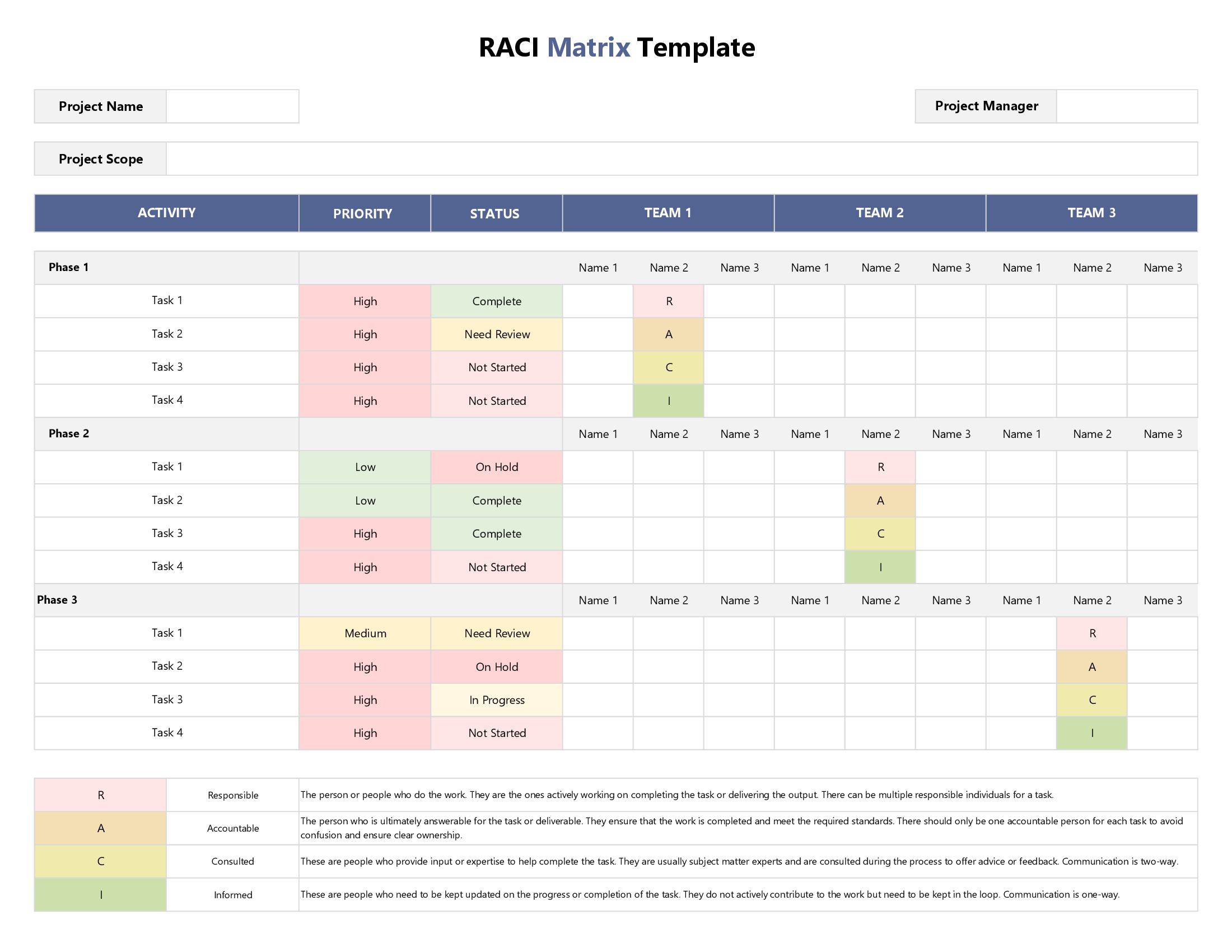



This template allows you to assign RACI roles and responsibilities to individual team members for each task or project deliverable. Once you have mapped out your tasks vertically and the names of your team members horizontally, once you have enlisted and prioritized your tasks, and identified all individual team members, it’s time to select the right RACI role under each team for every task using our color-coded system with each role represented by a different color: Responsible (Grey), Accountable (Yellow), Consulted (Blue) and Informed (Pink).
In addition to holding relevant team members accountable for each assigned task, you can also use this template for prioritizing tasks. We use a color-coded system to help you prioritize your tasks based on factors such as project needs or client demands. Our default drop-down menu lets you choose from three options: ‘High’, ‘Medium’, and ‘Low’; however, we have added a separate configuration sheet in case you want to use different categories to suit your project context.
Remember, before you start using your downloaded file, make sure you macro-enable it so you can fully benefit from the functionalities we have programmed into this spreadsheet. For those new to the RACI framework, we’ve included a concise RACI User Guide that explains what each RACI position entails, allowing you to allocate project roles more effectively to specific team members.